
How To Initiate a Live Chat from The Navicosoft Website?
Live chat support is a critical communication channel that enables users to engage with service representatives in real time, ensuring prompt resolution of inquiries.
Customers can initiate a live chat session in just a few straightforward steps to resolve any questions about our products or services. Our support team is available 24 hours a day, 7 days a week, 365 days a year, ensuring uninterrupted access to assistance whenever you need it.
Below are the steps to initiate a live chat session directly from the Navicosoft website:
Step 1: Access the Navicosoft Website
Open your preferred web browser (e.g., Google Chrome, Mozilla Firefox) and navigate to https://www.navicosoft.com/.
Step 2: Locate the Chat Icon
At the bottom-left corner of the screen, identify the chat icon. Click on it to launch the live chat interface.
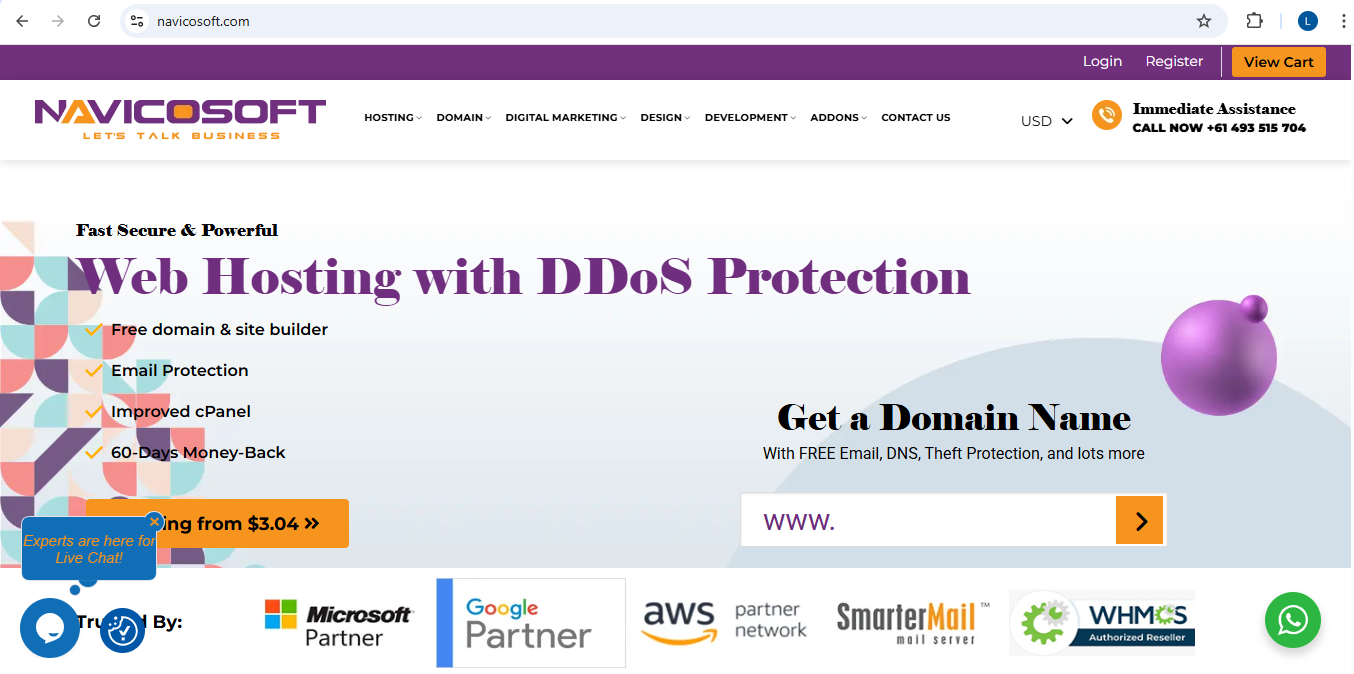
Step 3: Submit Your Inquiry
Enter your question or concern in the provided text field and select the appropriate department to ensure your query is directed to the correct team.
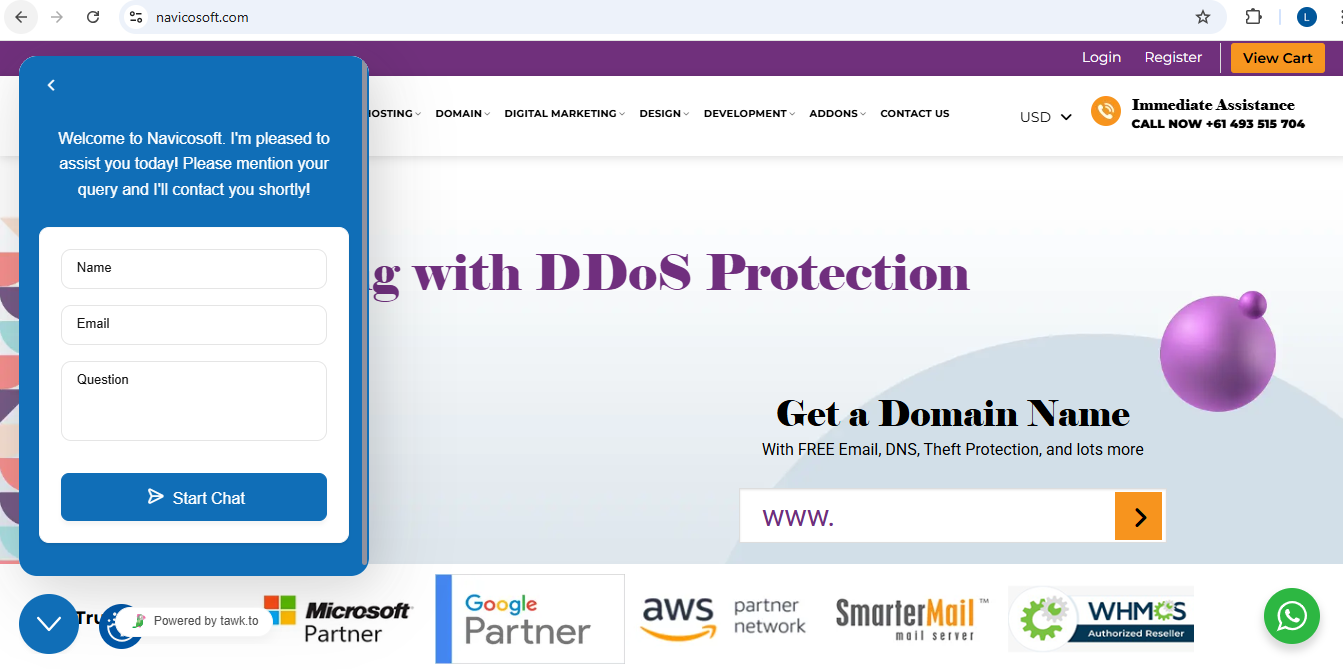
Fill in the required fields, including your name, email address, and phone number. Then, click on the "Start Chat" button.
Conclusion
Upon completing these steps, you will be connected with a Navicosoft support representative who will assist you promptly. Our live chat service is designed to provide efficient and professional support for all your technical and sales-related inquiries.